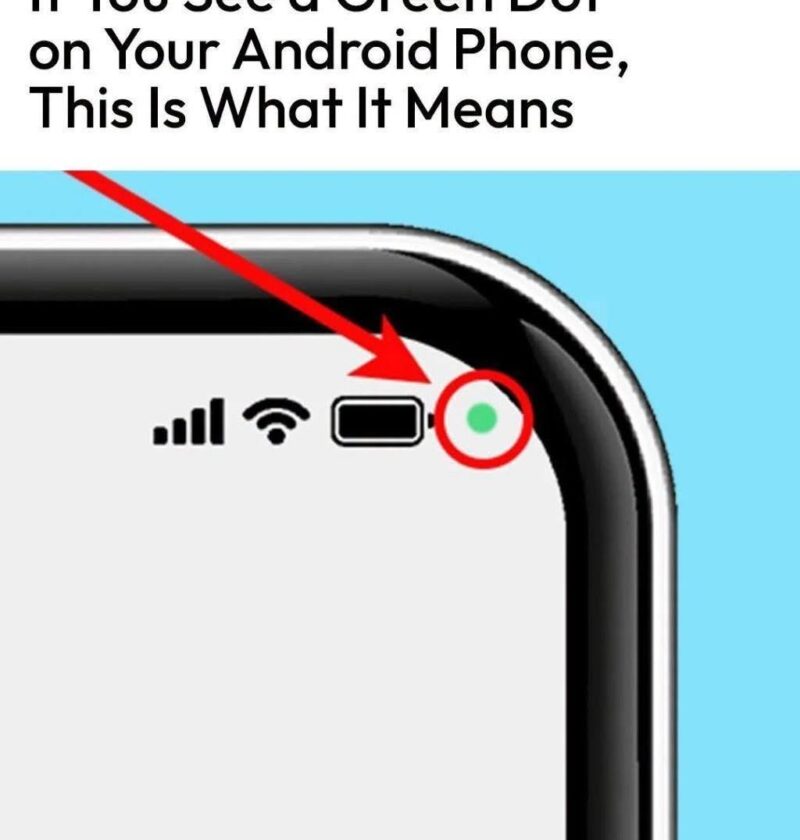
If you see a green dot on your Android phone, it usually means that an app is currently using your camera or microphone.
This is a privacy feature added in newer versions of Android (especially Android 12 and later). The dot appears near the top of the screen to alert you that an app has accessed sensitive hardware.
What the green dot can mean:
- 🟢 Camera in use: An app is using your camera (for example, the Camera app, a video call app, or a QR scanner).
- 🟢 Microphone in use: An app is using your microphone (for example, a voice recorder, phone call, or assistant feature).
How to check which app is using it:
- Swipe down from the top of your screen to open Quick Settings/notifications.
- Tap the green dot indicator (on supported phones).
- Your phone should show which app recently accessed the camera or microphone.
If you see it when you’re not using those features:
- Check your recent apps.
- Review app permissions:
- Go to Settings → Privacy → Permission Manager → Camera/Microphone (wording varies by phone).
- Remove permissions from apps that don’t need them.
- Update your phone and apps.
- Uninstall apps you don’t recognize or trust.
A green dot does not automatically mean your phone is hacked—most of the time it is simply an app using a permission you granted. If you tell me your phone brand (Samsung, Pixel, Xiaomi, etc.) and Android version, I can give the exact steps to identify it.